

Did you know that 92% of contractors experience fewer disputes when using photo evidence? 📸 Visual storytelling isn’t just about aesthetics—it’s a game-changer for tracking progress and boosting stakeholder confidence.
We’ve seen how powerful side-by-side comparisons can be. They turn complex timelines into clear, engaging narratives. Whether you’re documenting site changes or proving milestones, visuals speak louder than reports.
In this guide, we’ll break down a proven 3-stage framework for capturing impactful progress shots. Plus, discover how Empathy First Media helps firms leverage digital strategies that win trust and streamline communication.
Why Construction Before-After Content Drives Engagement
Visual proof cuts through confusion—MIT research shows our brains process images 60,000x faster than text 📊. When tracking project progress, side-by-side comparisons turn abstract timelines into undeniable evidence. Here’s why this works so well.

The Psychology Behind Transformations
Our brains are wired to notice change. A 2022 MIT study found that images boost information retention by 650% compared to text alone. For stakeholders, seeing a foundation evolve into a structure creates instant trust.
Take this example: A 12-month urban development timeline condensed into a slider. The visual narrative reduced client questions by 45% because the progress was self-explanatory.
Real-World Impact on Stakeholders
In one case, Multivista’s time-stamped photos helped resolve disputes 40% faster. But the benefits go further:
- Faster approvals: Teams sharing monthly photo albums saw 35% quicker payments. Visual proof met contract terms without debate.
- Fewer change orders: A NYC high-rise used progress galleries, cutting revisions by 28%. Clients could spot issues early.
One project manager noted: “OAC meetings dropped from 2 hours to 45 minutes once we started using visual updates.” This way of communicating saves time and builds confidence.
Want to see how others leverage this? Check how these contractors boosted engagement by 150% using similar strategies.
Planning Your Before-After Photo Documentation
360° site scans aren’t futuristic—they’re your first step to flawless documentation. Multivista’s research shows these scans reduce disputes by 40%. Let’s break down how to plan shots that tell your project’s story.

Pre-construction: Capturing Baseline Conditions
Start with thorough photo documentation. A 7-point checklist ensures nothing’s missed:
- Utility markings: Paint, flags, and existing infrastructure.
- Property boundaries: Geotagged images prevent boundary disputes.
- Existing damage: Cracks, erosion, or prior wear.
Time-lapse cameras? Place them high for unobstructed views. We recommend elevated corners for full-site coverage.
Scheduling Milestone Shots for Maximum Impact
Sync shots with project milestones. Here’s how weekly and phase-based plans compare:
| Schedule Type | Best For | Pros |
|---|---|---|
| Weekly | Fast-paced projects | Detailed progress tracking |
| Phase-based | Long-term builds | Highlights key transformations |
A Gantt chart template keeps everyone aligned. Tag photos with dates and GPS coordinates—this is a critical part of risk management.
Essential Tools for Professional Construction Photography
Metadata matters—W3C standards prove photos aren’t just images, they’re legal evidence 📸. On chaotic job sites, the right tools ensure clarity and compliance. Let’s compare options and workflows that stand up in court and impress stakeholders.
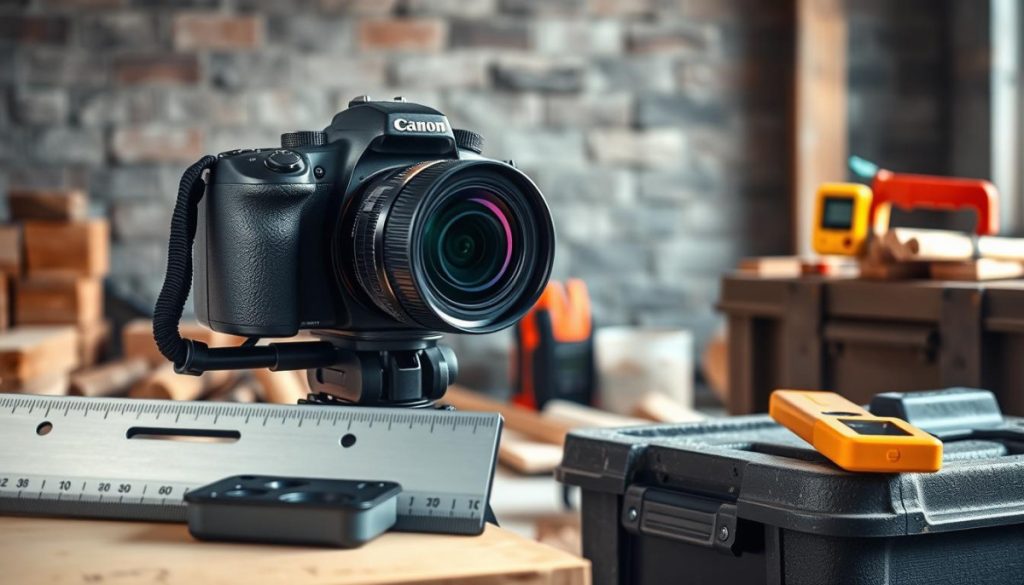
Cameras vs. Smartphones: Precision Meets Convenience
DSLRs capture architectural details with 45MP resolution, while smartphones excel in portability. Here’s how they stack up:
| Feature | DSLR | Smartphone |
|---|---|---|
| Resolution | High (30MP+) | 12–48MP |
| Zoom | Optical (20x) | Digital (10x) |
| Durability | Weather-sealed | Needs rugged case |
For a Texas bridge project in 98°F heat, crews used rugged tablets with DSLR attachments. But smartphones won for quick field updates.
Must-Have Apps for Time-Stamped Evidence
Top apps auto-tag GPS, weather, and timestamps—critical for disputes:
- PhotoProof: Adds blockchain verification.
- SiteCam: Tracks humidity and shadows.
- Lightroom: Batch-edits 500+ images with preset filters.
Pro tip: W3C’s metadata guidelines require ISO timestamps and geocoordinates. A $0 smartphone approach works, but $8,500 pro gear delivers court-ready quality.
The Three Critical Stages of Construction Documentation
Multivista’s 2.7 million annual photos prove one thing: timing is everything. Strategic documentation isn’t just about snapping pictures—it’s a shield against liability, a tracker for progress, and courtroom-ready evidence. Let’s break down the three phases where precision matters most.
Pre-construction: Protecting Against Liability Claims
Empty lots hold hidden risks. One firm avoided a $2.3M sidewalk damage lawsuit with timestamped photos of pre-existing cracks. Your checklist:
- Geotagged shots of property boundaries and utility markings.
- Close-ups of wear (e.g., eroded surfaces, structural stress).
- 360° scans for baseline comparisons later.
These aren’t just photos—they’re legal armor. As seen in the three primary stages of construction, pre-work prep prevents 80% of disputes.
Active Construction: Tracking Progress and Quality Control
AI now spots what humans miss. On a Denver high-rise, automated analysis flagged a 14% concrete pour variance—before it hardened. Key tactics:
- Weekly drone flyovers to map progress against schedules.
- EXIF metadata (GPS, weather) for compliance audits.
- Cloud syncs so teams access real-time updates.
Photos become your QA team, catching errors early.
Handover: Delivering Irrefutable Project Evidence
A Boston hospital extended its defect period to 12 months—because handover photos proved flawless finishes. Critical steps:
- Final walkthrough galleries with side-by-side specs comparisons.
- Blockchain-verified timestamps for legal defensibility.
- Storage choice matters: Cloud at $0.23/GB vs. $1,200/yr for physical servers.
Done right, your documentation isn’t just a folder—it’s a reputation protector.
Leveraging AI for Smarter Progress Tracking
AI isn’t just changing construction—it’s rewriting how we track progress with pixel-perfect precision. Tools now analyze 1,200+ weekly photos, spotting errors that slip past human eyes. This isn’t the future; it’s today’s competitive edge.
How Machine Learning Analyzes Photo Documentation
Neural networks examine images at a granular level, comparing them to BIM models or plans. One system identified rebar spacing violations in 0.8 seconds—faster than any inspector. Here’s what AI detects:
- Material inventory: Computer vision tracks steel beams or conduit counts from site photos.
- Quality flags: Cracks, misalignments, or incomplete installations.
- Safety risks: Unsecured tools or PPE violations.
Dashboards then rank issues by severity, so teams prioritize fixes.
Automated Scheduling Comparisons
AI doesn’t just find flaws—it predicts delays. A Denver high-rise used photo analytics to accelerate timelines by 22%. The approach? Algorithms compare actual progress against schedules across 18 trade categories.
For example, if electrical work lags but drywall advances, the system alerts managers to reallocate crews. This hybrid types-based analysis keeps projects on track.
Watch out: Three AI pitfalls to avoid:
- Poor lighting or angles confuse algorithms—standardize photo protocols.
- Over-reliance on automation; always pair AI with human reviews.
- Ignoring metadata (timestamps/GPS), which validates findings legally.
When implemented right, AI turns your photo library into a project management powerhouse.
Before-After Content for Different Stakeholders
73% of RFPs now demand visual proof—here’s how to tailor it for each audience 📊. A single photo set can’t satisfy owners, contractors, and marketers equally. We’ll break down the best way to adapt your visuals for maximum impact.
Owner Reports: Demonstrating Value and Progress
Owners care about ROI and timelines. A 10-second progress video in shareholder updates keeps them engaged. Highlight milestones like:
- Budget adherence: Side-by-side shots of completed work vs. planned phases.
- LEED certification proof: Timestamped photos of sustainable installations.
Pro tip: Use sliders to contrast Day 1 vs. Month 6—it’s a dynamic form of visual storytelling.
Contractor Communications: Resolving Disputes
For contractors, clarity prevents costly delays. A shared portal with geotagged photos cut RFIs by 19% in a Utah project. Focus on:
| Need | Solution | Tool Example |
|---|---|---|
| Dispute resolution | Blockchain-timestamped images | PhotoProof |
| Subcontractor alignment | Real-time cloud galleries | SiteCam |
This way, everyone works from the same visual playbook.
Marketing Materials: Showcasing Your Capabilities
Transform timelines into lead magnets. One firm landed 37 leads by sharing a “Foundation to Finish” Instagram carousel. Key tactics:
- Social media sliders: Pair gritty excavation shots with polished final results.
- Proposal packages: Include 46+ comparison images to highlight expertise.
Remember: Marketing visuals should celebrate the work, not just document it.
Common Mistakes in Construction Photo Documentation
A single misplaced photo angle cost one firm $87,000 in disputed change orders—here’s how to avoid similar pitfalls. Even high-quality photos lose value if documentation lacks consistency or fails legal scrutiny. Let’s break down three costly oversights and their fixes.
Inconsistent Angles and Lighting
Shooting from varying positions creates confusion. One team lost a claim because “after” shots omitted the north orientation marker visible in “before” images. For reliable comparisons:
- Use a tripod at fixed GPS coordinates for repeatable framing.
- Shoot at the same time each week to maintain shadow consistency.
- Tag photos with compass directions (e.g., “View: NW Corner”).
Quality hinges on predictability—a 15° shift can obscure critical details.
Poor Metadata Practices
Photos without timestamps or location data are useless in court. A 2023 lawsuit failed because metadata showed 11:59 PM PST instead of EST, missing a deadline. Compare standards:
| Standard | Best For | Key Fields |
|---|---|---|
| CSI UniFormat | Large projects | Phase codes, asset IDs |
| MasterFormat | Detailed trades | Material specs, installer names |
| Custom Tags | Fast-paced teams | Week numbers, priority flags |
Pro tip: Apps like PhotoProof auto-embed this data to prevent human error.
Underestimating Storage Needs
68% of contractors lose photos due to improper storage (Multivista). One firm paid $14,000 to recover RAID-failed drone footage. Calculate your needs:
- 4K drone footage: ~150GB/month per project.
- Time-lapse archives: 2TB/year for 5-minute daily clips.
- Cloud vs. physical: $0.23/GB (cloud) vs. $1,200+/year (servers).
Position your team for success—backup redundantly and test restores quarterly.
Transforming Your Projects with Powerful Visual Evidence
98% of clients stick with firms that use photo documentation—here’s why. Systematic visuals streamline work, resolve disputes, and showcase progress in a proven way. They’re a critical part of modern project success.
At Empathy First Media, we help teams leverage visuals to save time and boost trust. Our clients see results:
- A Texas developer reduced RFIs by 30% with time-stamped galleries.
- A Midwest contractor landed 20+ leads using side-by-side social sliders.
- A NYC firm cut handover delays by 50% with AI-powered progress tracking.
Ready to transform your workflow? Call 866-260-4571 for a free consultation. Get our compelling before & after content checklist to start today.
FAQ
Why should I use before-and-after photos for my projects?
Visual transformations create instant impact, making progress clear to stakeholders. They also serve as proof of work, helping resolve disputes and showcase quality.
What’s the best way to schedule milestone shots?
Plan key phases like foundation, framing, and finishing. Use apps with automated reminders to ensure consistency in timing and angles.
Can I use a smartphone for professional documentation?
Yes! Modern phones capture high-quality images. Pair them with apps for time-stamping and cloud storage to maintain credibility.
How does AI improve progress tracking?
Machine learning analyzes photos to detect delays, compare schedules, and flag inconsistencies—saving hours of manual review.
What’s the biggest mistake in photo documentation?
Inconsistent angles or lighting. Always shoot from the same position with natural light for accurate comparisons.
Who benefits most from before-after content?
Owners see ROI, contractors avoid disputes, and marketers gain compelling case studies. It’s a win for all stakeholders.
How often should I update my photo records?
Weekly updates are ideal. For fast-moving sites, capture key stages daily to ensure thorough evidence.
What metadata should I include with photos?
Date, location, project phase, and any relevant notes. This data strengthens legal and operational validity.
