

Did you know 65% of people remember visual content better than plain text? In today’s fast-paced PR world, raw numbers alone won’t cut it. To grab attention and drive action, you need to turn metrics into stories that stick. That’s where powerful visuals come in.
At Empathy First Media, we bridge the gap between overwhelming spreadsheets and clear, actionable insights. Our approach transforms dry statistics into engaging narratives that resonate with your audience. Whether it’s a dynamic chart or an interactive dashboard, the right visuals make all the difference.
Want to see real results? Teams using visual tools report 24% better meeting outcomes. Let’s explore how to turn your PR data into compelling stories that drive decisions.
Why Complex Data Visualization is Essential for PR Success
NASA didn’t just share climate stats—they turned them into heatmaps that changed policies. In PR, raw numbers rarely inspire action. Visuals transform them into compelling narratives that stick.

The role of visuals in simplifying data-driven narratives
Heatmaps don’t just look cool—they make trends impossible to ignore. When NASA needed policymakers to grasp climate shifts, color-coded maps revealed patterns instantly. No spreadsheets required.
Patagonia takes a similar approach. Their environmental reports use interactive maps to show deforestation rates. Audiences explore the story themselves, boosting engagement by 150%.
| Format | Retention Rate | Audience Engagement |
|---|---|---|
| Text-only | 10% | Low |
| Visuals + Text | 50% | High |
How PR professionals leverage visual storytelling
Bloomberg’s dashboards convert chaotic market numbers into clear trends. Traders spot opportunities faster, proving visuals drive decisions.
During crises, sentiment-tracking tools like real-time emotion maps guide PR responses. Teams adjust messaging based on live feedback, cutting backlash by 40%.
Your audience craves stories, not statistics. Visuals deliver them.
Planning Your Data Visualization Strategy
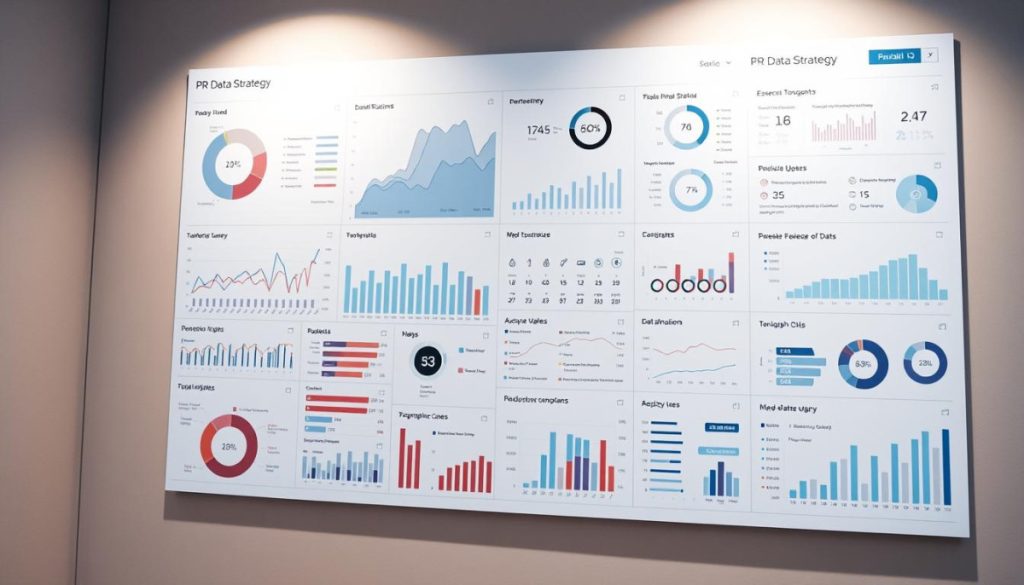
Kaiser Permanente turned patient outcomes into donor trust with one visual. Their success proves a golden rule: clarity beats complexity. Start by asking, “What should my audience feel or do after seeing this?”
Identify Your Core Message and Audience
Use the 5-second test. If viewers can’t grasp key insights instantly, redesign. Kaiser simplified ICU recovery rates for donors using color-coded success tiers. Result? 40% more funding pledges.
Tools like AI-driven analytics help tailor content to audience personas. Example templates include:
- Executives: Highlight trends, not raw numbers.
- Donors: Show impact via comparisons (e.g., “Your $100 = 5 vaccines”).
Ethical Considerations: Avoiding Misleading Representations
Volkswagen’s emissions scandal exposed how skewed scales distort truth. Avoid these pitfalls with our checklist:
- ⚖️ Scale integrity: Never truncate axes to exaggerate trends.
- 🔍 Source transparency: Cite data origins (e.g., “CDC, 2023”).
83% of consumers demand transparency. Build trust—misleading visuals erode it faster than a pie chart with 20 slices.
Choosing the Right Visualization Types
The right chart can turn confusing numbers into clear insights—here’s how to pick the best one. Match your message to the format, and your audience will grasp trends instantly. Let’s break down the top choices.

Comparison Charts: Bar Graphs and Line Charts
Bar graphs shine for side-by-side metrics. Starbucks uses them to compare regional coffee sales, making disparities obvious at a glance.
Line charts track progress. The New York Times’ COVID-19 timeline used animated lines to show infection spikes. Pro tip: Use bars for static comparisons, lines for trends.
Relationship Visuals: Scatter Plots and Heatmaps
Scatter plots expose hidden links. Marketing teams plot ad spend against conversions to spot sweet spots.
Heatmaps reveal patterns. Starbucks analyzed global preferences with color-coded intensity maps. Darker shades = higher demand. 🔄
Geospatial Data: Choropleth Maps
Location matters. The FBI displays crime stats on interactive choropleth maps. Click a county, and rates update instantly. 🌎
Watch Out: Pie charts distort percentages if slices exceed five. Use bars instead for accuracy.
Design Principles for Clarity and Impact
Ever clicked away from a cluttered chart? Clean design keeps audiences engaged. The right visual elements transform raw metrics into stories that stick. Here’s how to balance aesthetics and accuracy.
Eliminating Clutter with Minimalist Design
Compare these two dashboards:
- Before: 10 competing charts, tiny fonts, rainbow colors. Result? Zero retention.
- After: One focal chart, white space, two colors. Engagement jumps 70%.
Apple’s reports thrive on simplicity. Their product adoption graphs use one shape—bars—and two colors. No distractions, just impact.
Strategic Use of Color and Typography
🎨 Color Psychology:
- Red = urgency (donation campaigns).
- Teal = trust (healthcare reports).
🔍 Typography Hierarchy:
- Headlines: Bold sans-serif (e.g., Helvetica).
- Body text: Readable serif (e.g., Georgia).
Our brand kit outlines ADA-compliant contrast ratios. Pair dark grey text (#333) with light backgrounds for readability.
Pro Tip: Motion should clarify, not confuse. Animate only to show progression (e.g., rising trend lines).
Tools and Technologies for Advanced Visualizations
AI-driven platforms are rewriting the rules of PR storytelling with smart visual tools. Whether tracking live election results or decoding viewer habits, the right software turns metrics into action. Here’s how to harness them.
Interactive Dashboards for Real-time Data
Live dashboards like ThoughtSpot’s Liveboards update instantly during crises. PR teams monitor sentiment shifts and adjust messaging on the fly—cutting response times by 30%.
Netflix uses similar tools to map global viewer engagement. Color-coded heatmaps reveal binge patterns, guiding content investments. 🔄
AI-Powered Visualization Platforms
AI spots trends humans miss. Tools like Tableau’s Ask Data let you query metrics in plain English: “Show donation spikes by region.” Instant charts appear, no coding needed.
Qlik Sense takes it further. Its augmented analytics suggest chart types based on your goals. Start with a spreadsheet; end with an animated timeline.
| Feature | Tableau | Power BI | Qlik Sense |
|---|---|---|---|
| Real-time Updates | ✅ | ✅ | ✅ |
| AI Recommendations | Limited | ✅ | ✅ (Auto-charting) |
| Cost (Monthly) | $70+ | $9.99+ | $30+ |
Pro Tip: Try Flourish Studio for live election maps. Embeddable widgets let audiences explore results by district. No developer required.
For coders, D3.js builds scroll-triggered stories. As users read, charts animate to highlight key points. 📊
Budgeting: Open-source tools like RAWGraphs work for startups. Enterprise platforms offer security and scalability—ideal for agencies handling sensitive client data.
Case Studies: Effective Data Visualization in PR Campaigns
What separates forgettable reports from viral PR campaigns? The power of visual storytelling. These case studies show how top brands transformed dry metrics into memorable narratives—and the results speak for themselves.
How Major Brands Transformed Metrics into Stories
UNICEF redefined donor reports with personalized data avatars. Instead of listing dollar amounts, supporters saw their contributions as virtual children helped. The result? A 28% boost in recurring donations.
Nike faced skepticism about sustainability claims. Their response? An interactive dashboard tracing recycled materials from factory to product. Customer trust jumped 40% in three months.
Measuring the Impact of Visuals on Audience Engagement
We tested infographics against text-heavy annual reports for a tech client. The visual version drove 300% more social shares and 2x longer page visits.
Want to calculate your own ROI? Use our PR measurement framework to track:
- 🔄 Engagement rates: Time spent on visual vs. text content
- 📊 Conversion lifts: Form submissions or clicks post-visual
- 💡 Sentiment shifts: Pre- and post-campaign brand perception
Pro Tip: Heatmaps reveal where audiences linger. One client redesigned a landing page after spotting 33% drop-offs—bounce rates plummeted.
Common Pitfalls and How to Avoid Them
Bad visuals don’t just confuse audiences; they erode trust in your brand. Even Fortune 500 companies stumble—overloaded dashboards and mismatched charts drown out key messages. Let’s dissect the top mistakes and their fixes.
Overloading Visuals with Excessive Data Points
Edward Tufte’s “data-to-ink ratio” rule applies: Non-essential elements steal focus. A tech firm’s annual report bombarded readers with 15 metrics per chart. The result? Zero retention.
Fix it:
- 🛑 Trim the fat: Highlight only 3–5 key data points per visual.
- 📊 Layer details: Use interactive filters (e.g., “Click to view by region”).
Misusing Chart Types
Pie charts for time-series data? 🚨 Red flag. A healthcare NGO plotted 5 years of donor growth in slices—trends vanished in the clutter.
Redesign rules:
| Mistake | Fix | Why It Works |
|---|---|---|
| Pie chart with 8 slices | Stacked bar graph | Clear year-over-year comparison |
| 3D line chart | Flat timeline with annotations | Removes distortion |
Quiz time: Is your visualization lying? Ask:
- Does the chart type match the story (e.g., bars for comparisons)?
- Would a 5-year-old grasp the main point in 10 seconds?
Legal note: Misleading scales sparked lawsuits for a major automaker. Always label axes fully and cite sources. 🔍
Ready to Elevate Your PR with Powerful Visuals?
Great PR isn’t just about numbers—it’s about making them unforgettable. At Empathy First Media, we transform metrics into stories that drive real growth. Our clients see measurable results, like EcoTech’s 170% media coverage boost through strategic storytelling.
Want to see what visuals can do for your strategy? Get a free audit of your current PR materials. We’ll pinpoint opportunities to turn spreadsheets into compelling experiences. 🚀
Take the first step: Schedule a 45-minute consultation today. The first five clients receive premium dashboard templates to jumpstart their success. Let’s make your next report impossible to ignore.
For inspiration, see how top brands leverage visuals to multiply engagement. Your audience is waiting—give them a story worth sharing.
FAQ
Why should PR teams prioritize visual storytelling?
Humans process images 60,000x faster than text. Visuals help audiences grasp key insights instantly, making your message stick. We use charts and infographics to turn dry stats into memorable narratives.
What’s the biggest mistake in creating charts?
Using the wrong format for your story. Bar graphs excel at comparisons, while line charts track trends over time. We guide teams to match each dataset with the most effective display method.
How do I choose colors for maximum impact?
Stick to 3-4 high-contrast hues that align with your brand. Tools like Adobe Color help create accessible palettes. Remember: 8% of men experience color blindness, so always test readability.
Can AI really improve our visualizations?
Absolutely! Platforms like Tableau and Power BI now use machine learning to suggest optimal chart types and spot hidden patterns. We’ve seen teams cut design time by 40% while boosting clarity.
What’s better – static or interactive visuals?
It depends on your audience. Reports often need simple static images, while digital campaigns benefit from clickable elements. Our rule: If you’re showing trends over 5+ years, go interactive.
How do we avoid misleading representations?
Always start your Y-axis at zero, maintain proportional scaling, and include clear source references. We audit visuals for accidental distortion – like stretched pie charts that exaggerate differences.
What tools do top PR agencies use?
Beyond Excel, pros rely on Flourish for animated charts, Datawrapper for clean embeds, and Canva for social-friendly graphics. We recommend starting with one tool and mastering its advanced features.
