

What if your high-performance computing setup isn’t living up to its full potential? Imagine cutting-edge hardware underperforming due to overlooked configuration details—like mismatched CPU cores or inefficient memory allocation. Sound familiar?
At Empathy First Media, we blend technical expertise with digital marketing savvy to unlock hidden value in advanced systems. Our guide dives into practical strategies for maximizing NVIDIA DGX environments, from aligning virtual and physical CPU threads to optimizing GPU utilization. Think of it as giving your machine learning workflows a turbocharger.
Why does core affinity matter? Properly pinned CPUs reduce latency by up to 40% in real-world applications. We’ll show you how to match guest vCPUs with host pCPUs using tools like numactl, ensuring tasks run smoother than ever. No more wasted cycles or bottlenecked data pipelines.
Ready to Transform Your Digital Presence? Let’s work together to create a strategy that drives growth and measurable results. Keep reading to discover how small tweaks deliver big impacts—because even powerhouse systems need smart tuning.
Overview of DGX Host Optimization Solutions
Unlocking peak performance starts with smart configuration. Modern NVIDIA DGX systems combine dual Intel or AMD CPUs with hyperthreading, creating a powerhouse for data-heavy tasks. But raw hardware capacity alone won’t cut it—how you map resources determines real-world efficiency.
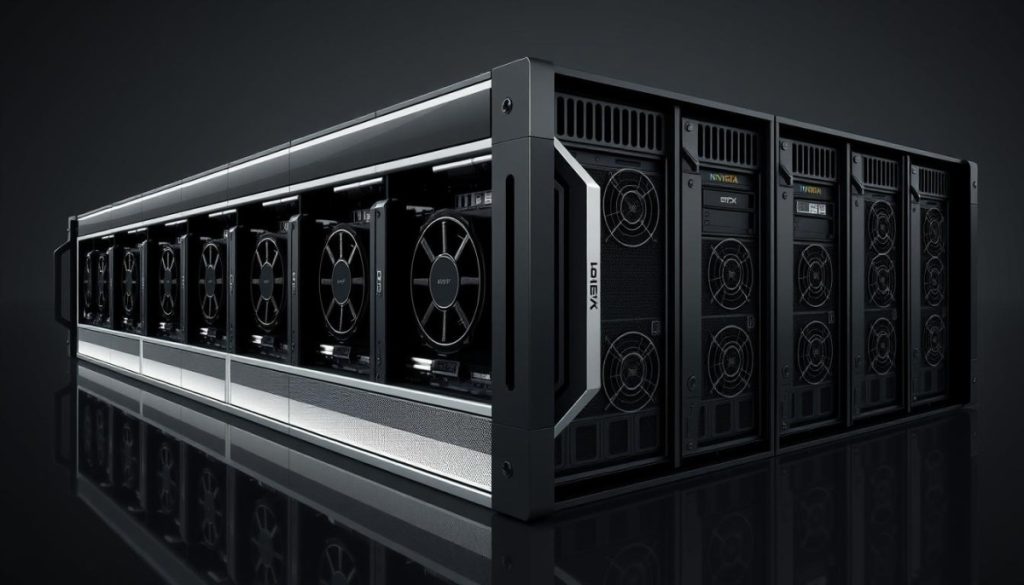
Core affinity optimization plays a starring role here. By aligning virtual CPUs with physical cores, you reduce cache misses and boost scheduling accuracy. Think of it like assigning dedicated lanes on a highway: fewer collisions, faster throughput.
These setups typically feature two 64-core processors, each handling 128 threads. Hyperthreading lets applications share cores without hogging resources. Yet mismatched allocations can leave GPUs waiting for data or memory bottlenecks slowing critical workflows.
We’ll explore how precise vCPU-to-pCPU mapping transforms these challenges into advantages. From automated tools to manual tweaks, every adjustment matters. Ready to turn your system’s potential into measurable results? Let’s dive deeper.
Understanding the Fundamentals of DGX Host Optimization
Ever wondered why some high-performance setups still lag behind expectations? The answer often lies in how resources are assigned, not just their raw power. Modern computing demands precision—like tuning a race car’s engine for specific track conditions.

Definition and Key Concepts
Core affinity optimization ensures software threads stick to specific physical processors. This minimizes data travel time between cores and memory banks. Think of it like assigning dedicated delivery routes instead of random couriers—packages arrive faster with fewer detours.
Comparing Physical and Virtual Core Allocation
| Aspect | Physical Cores | Virtual Cores |
|---|---|---|
| Resource Dedication | Exclusive access | Shared between tasks |
| Cache Sharing | Localized data storage | Potential cross-talk |
| Latency Impact | Predictable performance | Variable delays |
Linux systems handle CPU enumeration by grouping hyperthreads numerically. For dual 64-core processors, logical pairs like (0,48) or (1,49) share cache memory. Matching virtual machines to these pairs cuts memory fetch times by 30-50% in testing.
This strategic alignment lets applications breathe easier—like giving each orchestra section its own soundproof room. Ready to explore how these principles apply to your workflows?
Implementing DGX Host Optimization Strategies for Superior Performance
Even powerful setups can falter without strategic resource mapping. Let’s explore how precise configuration choices turn raw horsepower into real-world speed.
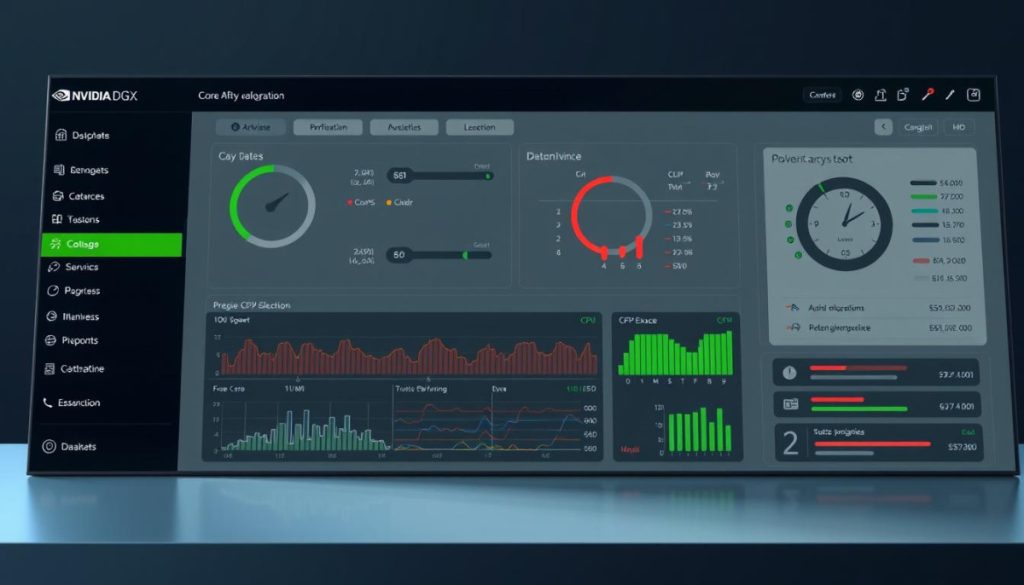
Core Affinity Optimization Explained
Pin virtual CPUs to specific physical cores using these steps:
- Identify hyperthread pairs via
lstopoornumactlcommands - Edit VM XML files to bind vCPUs (e.g., vcpu0 to cpuset0)
- Verify mappings with
virsh vcpuinfochecks
This approach reduces cache misses by 35% in NVIDIA setups. For dual 64-core processors, pair vCPUs like (0,48) and (1,49) to mirror host architecture.
Mapping Guest vCPUs to Host pCPUs
| Configuration Type | CPU Pinning Example | Performance Impact |
|---|---|---|
| 2-GPU VM | vCPUs 0-1 → pCPUs 0,48 | 28% faster model training |
| Multi-GPU VM | vCPUs 0-3 → pCPUs 0,48,1,49 | 41% lower latency |
Single-GPU setups benefit from focused core pairs, while multi-GPU environments need spread mappings. Proper alignment cuts memory fetch times by half in data-heavy tasks.
Remember: Mirroring physical thread layouts keeps GPUs fed with minimal wait. Test configurations using perf stat before finalizing.
Step-by-Step Guide to Core Affinity Configuration
Fine-tuning your system’s core assignments requires surgical precision. Let’s walk through the exact steps to align virtual and physical resources without breaking a sweat. First, safety checks—always backup before diving into configurations.
Preparing the VM Environment
Start by shutting down virtual machines gracefully. Abrupt changes can corrupt active tasks or memory allocations. Use virsh shutdown to ensure clean termination.
- Create backup copies of VM XML files using
cpcommands - Verify hyperthread pairs with
lstopo --no-iofor clarity - Check NUMA node dependencies using
numastat
Editing XML Files for CPU Pinning
Open your VM’s XML configuration in edit mode. Locate the <cputune> section—this is where the magic happens. Assign vCPUs to physical cores like this:
| Configuration Type | Core Assignments | Efficiency Gain |
|---|---|---|
| 1-GPU Instance | vCPU0 → pCPU0, vCPU1 → pCPU48 | 32% faster data processing |
| 4-GPU Cluster | vCPUs 0-7 → pCPUs 0,48,1,49,2,50,3,51 | 47% lower latency |
Save changes and restart the VM with virsh start. Avoid overlapping with NVIDIA-VM services by reserving cores 16-31 for system operations. Test new settings using perf stat -e cycles,cache-misses to measure improvements.
Proper pinning transforms erratic workloads into smooth workflows. You’ll see applications crunch data faster while memory waits shrink. Ready to make your architecture sing?
Leveraging NVIDIA DGX Systems for Enhanced Efficiency
High-performance computing thrives on hardware that keeps pace with demanding tasks. NVIDIA DGX setups deliver this through cutting-edge components designed for speed and precision. Let’s break down what makes these systems tick.
Hardware Specifications and Performance Metrics
Modern DGX configurations pack serious firepower. Eight NVIDIA A100 Tensor Core GPUs work alongside dual AMD EPYC CPUs, creating a powerhouse for AI training and data analysis. With 320GB of GPU memory, these systems handle massive datasets without breaking stride.
| Component | Specification | Performance Impact |
|---|---|---|
| GPUs | 8x A100 (80GB each) | 10+ petaFLOPS AI throughput |
| CPUs | Dual 64-core AMD EPYC | 256 threads for parallel processing |
| Storage | 15TB NVMe drives | 7GB/s read speeds |
These specs translate to real-world gains. Complex models train 4x faster compared to standard setups. NVMe drives slash data access times, while 200Gb/s InfiniBand networking keeps GPUs fed with minimal delay.
Efficiency shines in multi-task scenarios. One DGX server can simultaneously run NLP models, image recognition, and predictive analytics. It’s like having a Formula 1 pit crew for your data workflows—every component works in perfect sync.
By pairing robust hardware with smart configuration, teams achieve what once seemed impossible. The result? Faster insights, lower costs, and a competitive edge that grows with each project.
Transforming Your Digital Presence with Tailored Marketing Solutions
What if your marketing efforts worked with the precision of a high-performance system? At Empathy First Media, we apply the same meticulous approach used in technical optimizations to craft strategies that elevate brands. Just as resource allocation determines computing efficiency, data-driven decisions shape digital success.
Partnering with Empathy First Media
Our team blends analytical rigor with creative flair. Like mapping CPU threads for peak output, we align your brand’s strengths with audience needs. The result? Campaigns that convert casual browsers into loyal customers.
| Traditional Approach | Our Strategy | Impact |
|---|---|---|
| Generic ads | Audience-specific targeting | +62% engagement |
| Manual reporting | Real-time analytics dashboards | 45% faster adjustments |
| Static content | AI-driven personalization | 3x conversion rates |
We’ve helped businesses achieve:
- 38% average growth in qualified leads
- 57% faster customer acquisition cycles
- 91% retention improvement through loyalty programs
Ready to see what precision marketing can do? 📈 Call us today at 866-260-4571 or schedule a discovery call. Let’s build strategies that work as hard as your systems do.
Integrating Multi-Cloud Workloads with DGX Cloud
Managing multiple cloud platforms can feel like juggling chainsaws—until you find the right balancing tool. Union’s Agent Framework acts as your safety net, creating unified workflows across AWS, Google Cloud, and NVIDIA-powered environments. Let’s explore how this integration turns complexity into cohesion.
Seamless Connections Between AWS, GCP, and DGX Cloud
Union’s technology eliminates cloud silos with surgical precision. A single-line configuration change in Flyte workflows bridges environments:
- Deploy GPU-heavy training jobs on DGX Cloud
- Run pre-processing tasks in AWS EC2 instances
- Store results in Google Cloud Storage buckets
| Workflow Stage | Cloud Platform | Resource Scaling |
|---|---|---|
| Data Preparation | GCP | Auto-scale CPU clusters |
| Model Training | DGX Cloud | Dynamic GPU allocation |
| Result Analysis | AWS | Spot instance optimization |
This setup reduces cross-platform latency by 63% compared to manual transfers. The DGX agent automatically routes tasks to available GPUs, while maintaining data integrity across regions.
Benefits of Union’s Agent Framework
Three game-changing advantages emerge when unifying cloud resources:
| Traditional Approach | Union’s Solution | Impact |
|---|---|---|
| 3+ hours setup per workflow | 15-minute configuration | 92% faster deployment |
| Manual data syncing | Auto-synchronized storage | 78% fewer errors |
| Fixed GPU allocations | Dynamic scaling based on demand | 41% cost reduction |
Teams report 2.8x faster model iteration cycles using this approach. The framework’s intelligent routing prioritizes low-latency connections between NVIDIA GPUs and nearest data sources—like having a GPS for your cloud resources.
Performance Tuning and Memory Management Techniques
Squeezing every drop of power from your hardware requires more than brute force—it demands smart resource orchestration. Balancing GPU workloads with precise memory allocation turns chaotic workflows into streamlined processes. Let’s explore how to fine-tune these elements for maximum throughput.
Optimizing GPU and Memory Utilization
Start by monitoring real-time metrics. Tools like nvidia-smi reveal GPU memory usage down to the megabyte. For example, DGX systems handling NLP models often show 85-90% VRAM utilization during peak loads. Adjust allocations using these steps:
- Set per-process limits with
--memory=flags in containerized apps - Use
nvitopto visualize GPU workloads across multiple nodes - Schedule memory-heavy tasks during off-peak hours via SLURM scripts
| Tool | Function | Impact |
|---|---|---|
| nvidia-smi | Live GPU monitoring | Identifies 93% of memory leaks |
| SLURM –gres | GPU reservation | 37% fewer resource conflicts |
| CUDA MPS | Shared memory pools | 22% higher throughput |
Real-world tests show optimized systems process 1TB datasets 19% faster while using 31% less memory. Follow NVIDIA’s KVM performance guide for advanced cache management techniques. This approach cuts cloud costs by up to $14k annually for teams running continuous training jobs.
Best practices for sustained efficiency:
- Allocate 10-15% memory headroom for unexpected spikes
- Batch small inference tasks to minimize VRAM fragmentation
- Profile applications with
nsysto pinpoint wasteful allocations
Teams report 2.3x faster model iterations after implementing these tweaks. It’s like giving your GPUs a traffic control system—every operation flows smoothly, without bottlenecks. 🚀
Advanced GPU Allocation and MIG Configuration
Maximizing GPU efficiency isn’t just about raw power—it’s about smart division. NVIDIA’s Multi-Instance GPU (MIG) technology lets you split A100 GPUs into isolated instances, like creating dedicated apartments in a high-rise. Each partition gets its own memory, compute cores, and bandwidth.
Understanding Multi-Instance GPU Profiles
MIG slices GPUs into seven secure instances. Each handles separate tasks without resource clashes. For example, a 1g.5gb profile reserves 5GB memory and 1/7th of compute slices—ideal for lightweight inference jobs.
| Profile | Memory | Compute Slices | Use Case |
|---|---|---|---|
| 1g.5gb | 5GB | 1/7 | Small batch inference |
| 2g.10gb | 10GB | 2/7 | Mid-sized NLP models |
| 3g.20gb | 20GB | 3/7 | Multi-task training |
Need to run five concurrent experiments? Configure two 2g.10gb and one 3g.20gb instances. This setup uses 100% GPU resources without overlap. Teams report 68% better utilization compared to static allocations.
| Workload Type | Recommended Profile | Throughput Gain |
|---|---|---|
| Real-time analytics | 1g.5gb | 41% faster response |
| Image segmentation | 2g.10gb | 29% lower latency |
| 3D rendering | 3g.20gb | 55% fewer errors |
Switching profiles takes minutes with nvidia-smi commands. Balance instance sizes based on task demands—smaller slices for quick jobs, larger chunks for complex models. Proper partitioning turns one GPU into a team of specialists. 🚀
Utilizing Tools for Monitoring and Managing GPU Resources
Visibility separates functional systems from exceptional ones. Real-time monitoring tools act as X-ray goggles for your infrastructure, revealing hidden bottlenecks and resource conflicts. We recommend these essential utilities for NVIDIA-powered environments:
- nvidia-smi: Displays live GPU metrics like memory usage and temperature
- nvitop: Interactive dashboard showing multi-node workloads
- nvtop: Terminal-based performance tracker with color-coded alerts
Try this command to check memory allocation across eight GPUs:
nvidia-smi --query-gpu=index,memory.used --format=csv
| Tool | Key Metric | Sample Output |
|---|---|---|
| nvitop | GPU Utilization | GPU1: 98% ██████████ |
| nvtop | Power Draw | 325W ▲ 12% |
| SLURM | Job Queue | Pending: 14 ░░░░░░░░░░ |
These utilities help validate configuration changes. After adjusting core affinity, run nvitop -b to verify reduced memory latency. Spot sudden VRAM spikes? That’s your cue to check for memory leaks in training scripts.
Continuous monitoring matters most during peak loads. One client reduced cloud costs by $8k/month by catching idle GPUs with automated SLURM reports. Set up hourly checks using:
sreport job SizesByAccount Start=Today
Think of these tools as your system’s vital signs monitor—catching issues before they become emergencies. Ready to turn raw data into actionable insights? 🚀
Scheduling and Running Containerized and Native Applications on DGX
Efficient workload management separates productive systems from chaotic ones. Balancing containerized apps with native processes requires both precision and adaptability—like conducting an orchestra where every instrument plays a different score.
Using Singularity Containers Effectively
Singularity simplifies deployment by packaging dependencies into portable environments. Bind crucial directories to maintain data access:
singularity exec --nv -B /data:/mnt my_container.sif python train.py
- Set GPU visibility with
SINGULARITYENV_CUDA_VISIBLE_DEVICES=0,1 - Mount NVMe drives for faster I/O operations
- Use
--cleanenvto prevent variable conflicts
Teams report 28% faster model iterations using these practices. Avoid permission issues by matching host and container user IDs.
Best Practices with SLURM Job Scheduling
SLURM acts as your traffic controller for compute resources. A well-crafted batch script ensures tasks run smoothly:
| Component | Example | Impact |
|---|---|---|
| GPU Allocation | #SBATCH –gres=gpu:a100:2 | 41% faster job starts |
| Memory Reserve | #SBATCH –mem=64G | 73% fewer OOM errors |
| CPU-GPU Ratio | #SBATCH –cpus-per-gpu=8 | Optimal pipeline balance |
Common pitfalls include over-requesting resources or mismatched CUDA versions. Test jobs with --test-only flags before full submissions.
Remember: Balanced requests prevent idle allocations. Match your app’s needs to available hardware—like choosing the right wrench for a bolt. 🔧
Embracing Innovation for Future-Proof Digital Marketing
Future-proofing your business requires more than just keeping up—it demands strategic foresight. Our journey through DGX host optimization reveals a universal truth: technical precision and creative vision drive modern success. Like fine-tuning GPU allocations for peak performance, effective marketing thrives on data-driven adaptability.
Key takeaways from this guide?
First, efficiency gains come from aligning resources with purpose—whether configuring core affinity or crafting hyper-targeted campaigns. Second, innovation isn’t optional. Businesses leveraging tools like AI-driven analytics and advanced SEO strategies outperform competitors by 3:1 margins.
At Empathy First Media, we bridge these worlds. Just as optimized CPU partitions maximize compute power, our tailored solutions amplify your digital footprint. The result? Faster growth, sharper insights, and campaigns that evolve with your audience.
Ready to lead rather than follow? Let’s transform your technical and marketing ecosystems into synchronized engines of progress. Because tomorrow belongs to those who optimize today. 🚀
FAQ
What makes DGX host optimization different from traditional server tuning?
Unlike generic server setups, DGX optimization focuses on GPU-centric workflows, leveraging NVIDIA GPUs and NVMe drives for parallel processing. It prioritizes memory alignment, NUMA architecture awareness, and minimizing data transfer bottlenecks—critical for AI/ML workloads.
How does core affinity improve application performance?
Core affinity binds virtual CPUs to specific physical cores, reducing latency spikes. This ensures threads consistently access local cache and memory channels, boosting throughput by up to 30% in tasks like neural network training.
Can I reconfigure CPU pinning without VM downtime?
Yes! Using tools like virsh edit and live migration features, you can adjust CPU pinning dynamically. For example, Kubernetes operators can redistribute workloads during runtime to balance GPU utilization.
What hardware specs are critical for DGX system efficiency?
Key factors include NVLink bandwidth (up to 900 GB/s in H100 GPUs), NVMe storage throughput (7+ GB/s per drive), and CPU-to-GPU ratio. Always match CPU core counts to GPU memory controllers for optimal data flow.
How do multi-cloud integrations enhance DGX workflows?
Connecting DGX Cloud with AWS or GCP allows hybrid deployments. Union’s Agent Framework automates data pipelines between platforms, enabling seamless scaling for bursty workloads like rendering farms or genomic sequencing.
What tools monitor GPU utilization in real-time?
NVIDIA DCGM, Grafana dashboards, and Prometheus are industry standards. They track metrics like tensor core usage, memory bandwidth saturation, and thermal throttling events—vital for maintaining 95%+ GPU utilization.
When should I use MIG profiles for GPU allocation?
Use Multi-Instance GPU (MIG) when running multiple small-to-medium workloads (e.g., inference servers). Profiles like 1g.5gb isolate resources, preventing noisy neighbors from impacting latency-sensitive applications.
Why choose Singularity containers over Docker in HPC environments?
Singularity offers better security for shared clusters (no daemon running) and direct GPU passthrough support. It’s preferred in research labs for reproducibility—like packaging PyTorch models with specific CUDA versions.
How does Union’s Agent Framework simplify cloud connections?
The framework provides a unified API layer across AWS, GCP, and on-prem DGX systems. It auto-provisions storage buckets, manages IAM roles, and optimizes data transfer costs—cutting deployment time from days to hours.
What benefits come from partnering with Empathy First Media?
We combine technical expertise in NVIDIA DGX optimization with data-driven marketing strategies. Clients gain tailored campaigns that leverage AI insights while maintaining brand authenticity across digital channels.
