

Using YAML Files to Define Tasks and Parameters for AI Agents: A Complete Implementation Guide
You’re building AI agents that need clear instructions, but your configuration files look like a tangled mess of JSON brackets and nested objects.
Sound familiar?
Here’s the thing…
Most developers struggle with making their AI agent configurations readable, maintainable, and scalable. Complex JSON structures become nightmares to debug, and adding new parameters feels like performing surgery on live code.
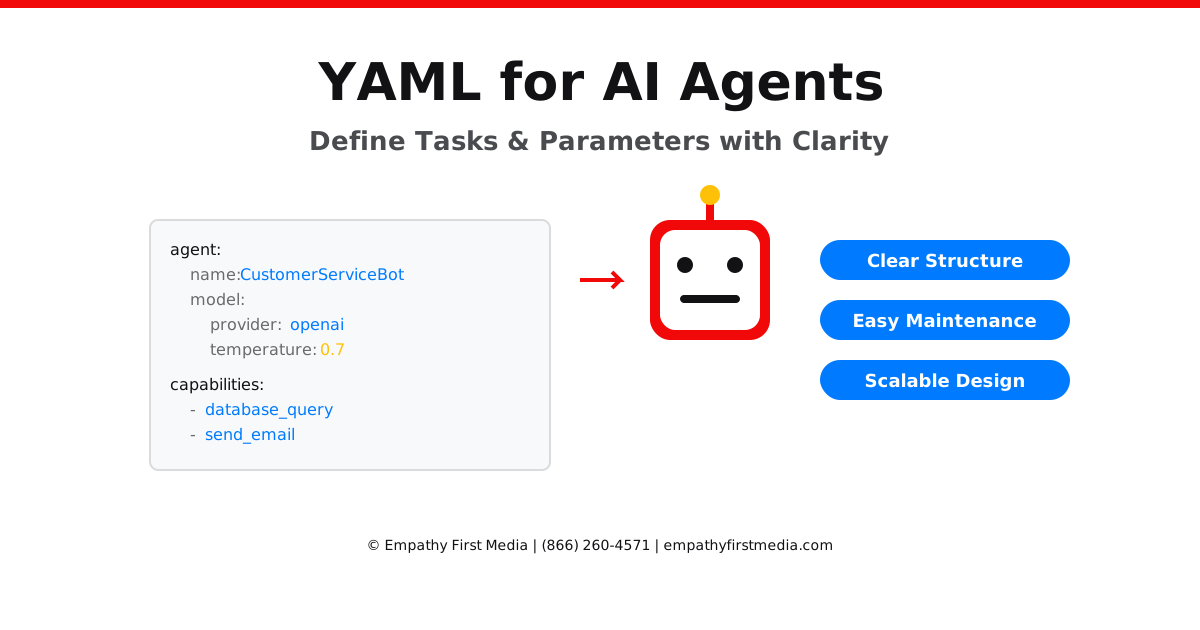
At Empathy First Media, we’ve implemented AI agent systems for dozens of clients, and we’ve discovered that YAML (Yet Another Markup Language) provides the perfect balance of human readability and machine parseability. Our founder, Daniel Lynch, brings his engineering background to create structured AI solutions that actually work in production environments.
The truth is this:
YAML files can transform your AI agent development from a frustrating exercise in bracket-counting to a streamlined process that your entire team can understand and contribute to.
Want to know the secret to effective AI agent configuration?
It’s not about the technology itself—it’s about creating a clear, maintainable structure that allows your AI agents to understand exactly what they need to do, when to do it, and how to handle edge cases.
This comprehensive guide reveals exactly how we structure YAML files for AI agent configuration, complete with real-world examples, best practices, and implementation strategies that you can apply immediately.
Ready to revolutionize your AI agent development? Schedule a discovery call with our team.
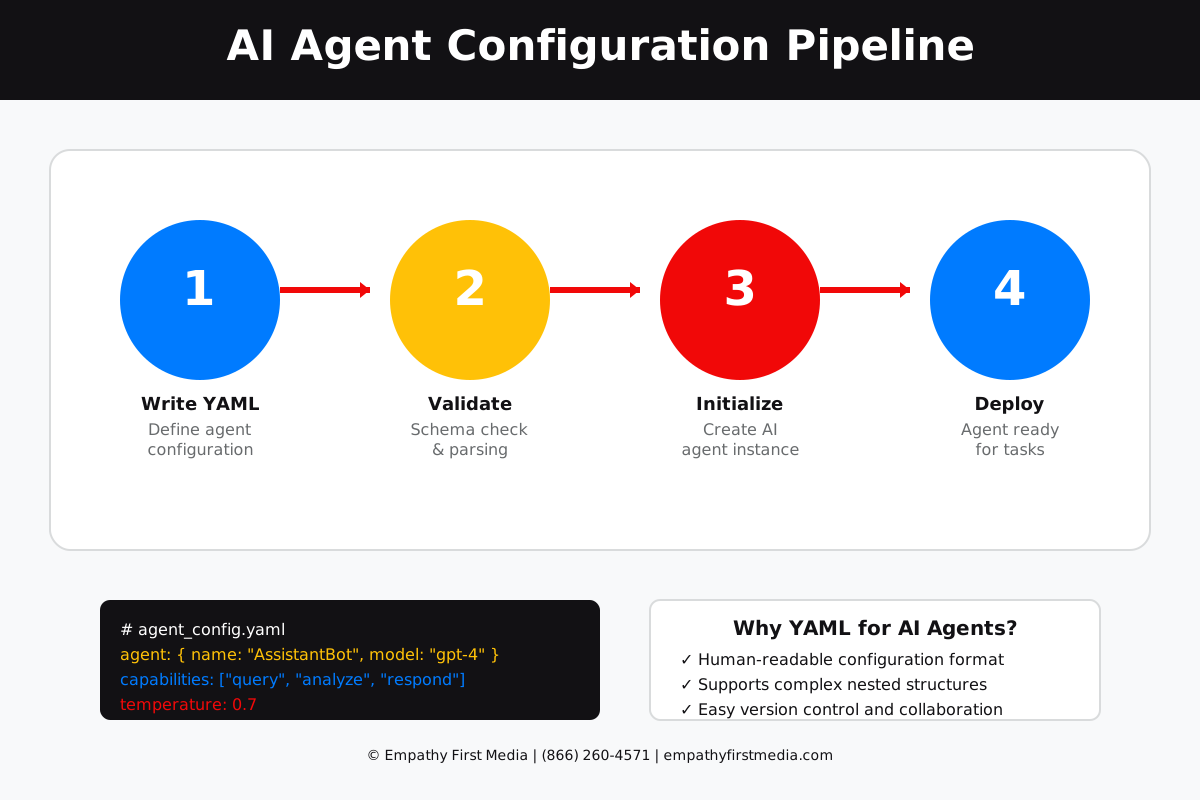
Understanding YAML for AI Agent Configuration
YAML has become the de facto standard for configuration files in modern software development, and for good reason.
But here’s what most developers miss:
YAML isn’t just about avoiding brackets—it’s about creating a configuration language that mirrors how humans think about hierarchical data and relationships.
Why YAML Excels for AI Agent Configuration
Think about how you naturally describe a task to another person. You don’t speak in nested JSON objects. You use indentation, lists, and clear relationships between concepts.
That’s exactly what YAML provides.
Human-Readable Structure: YAML uses indentation and simple syntax that makes complex configurations instantly understandable. Your team members can read and modify agent behaviors without deep technical knowledge.
Native Data Types: YAML supports strings, numbers, booleans, arrays, and objects without complex syntax. This makes it perfect for defining diverse agent parameters.
Comments and Documentation: Unlike JSON, YAML allows inline comments. This means you can document your agent configurations directly in the file, making maintenance significantly easier.
Reduced Syntax Errors: The minimal syntax reduces common configuration errors. No more missing commas or mismatched brackets causing your agents to fail mysteriously.
Here’s the strategic advantage:
When your AI agent configurations are clear and maintainable, you can iterate faster, debug more efficiently, and scale your agent ecosystem without accumulating technical debt.
Our AI agent development services leverage YAML configurations to create robust, scalable agent systems that our clients can understand and modify independently.
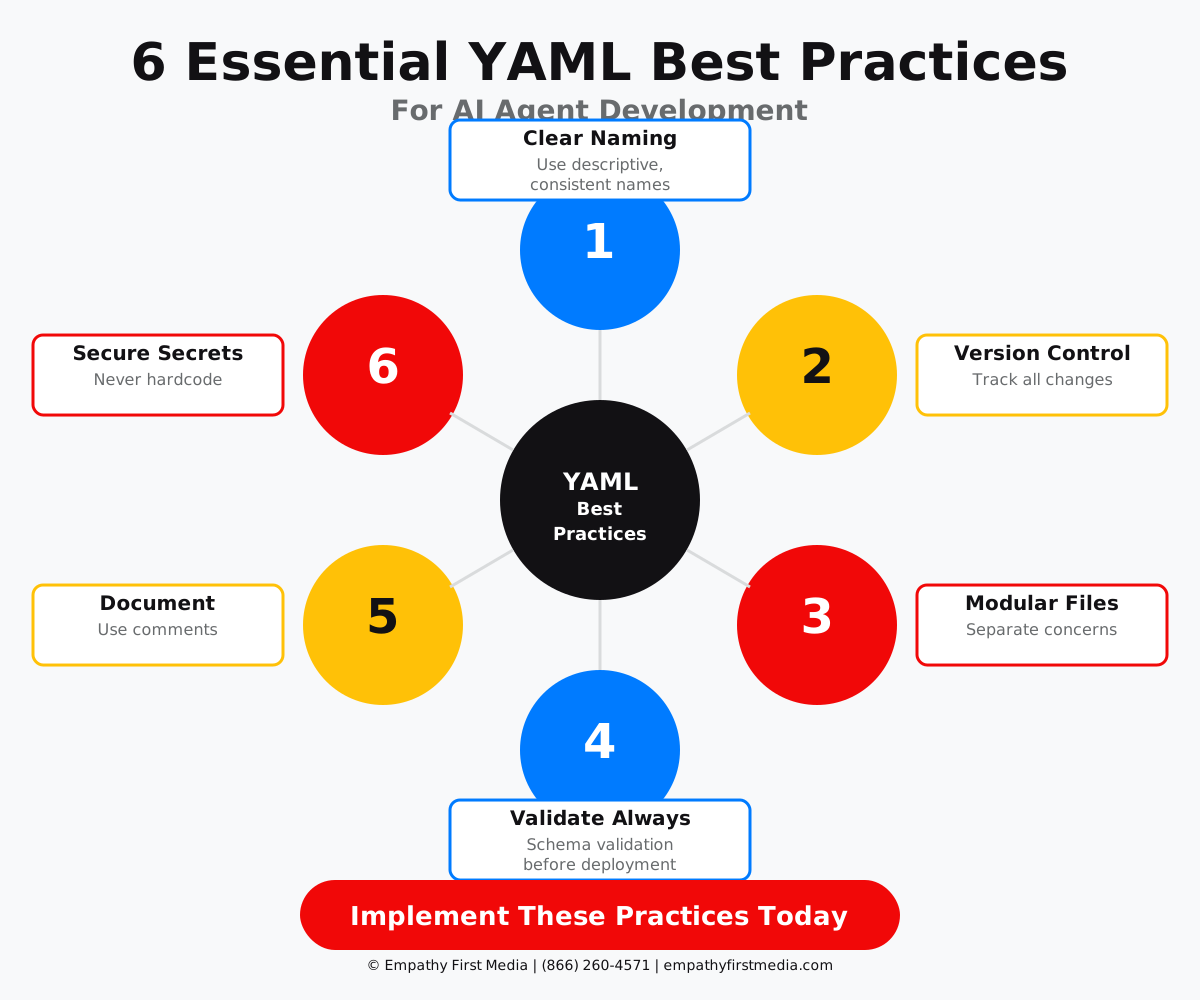
Basic YAML Structure for AI Agents
Before diving into complex agent configurations, let’s establish the fundamental YAML patterns that power effective AI agent systems.
The foundation starts here:
Every AI agent needs three core configuration elements: identity, capabilities, and behaviors. YAML’s structure makes these relationships crystal clear.
Agent Identity Configuration
agent:
  name: CustomerSupportAgent
  version: 2.1.0
  description: Handles customer inquiries and support tickets
  model:
    provider: openai
    name: gpt-4
    temperature: 0.7
    max_tokens: 1000
This structure immediately tells you everything about the agent’s identity. Compare this to the equivalent JSON—the YAML version is instantly more readable.
Defining Agent Capabilities
capabilities:
  - name: query_database
    description: Search customer records and order history
    parameters:
      - name: customer_id
        type: string
        required: true
      - name: date_range
        type: object
        properties:
          start: date
          end: date
        required: false

  - name: send_email
    description: Send formatted emails to customers
    parameters:
      - name: recipient
        type: string
        required: true
      - name: template
        type: string
        enum: [welcome, support, follow_up]
      - name: variables
        type: object
        required: false
Notice how the hierarchical structure makes it immediately clear which parameters belong to which capability.
But here’s where it gets powerful:
Behavioral Rules and Constraints
behaviors:
  response_style:
    tone: professional_friendly
    max_response_length: 500

  constraints:
    - never share customer personal information
    - always verify customer identity before accessing records
    - escalate to human if sentiment score < -0.5

  priority_rules:
    - handle_urgent_tickets_first: true
    - max_concurrent_tickets: 5
    - auto_escalate_after_minutes: 30
This configuration style allows non-technical team members to understand and modify agent behaviors without touching code.
Want to implement structured AI agent configurations for your business? Contact our AI development team.
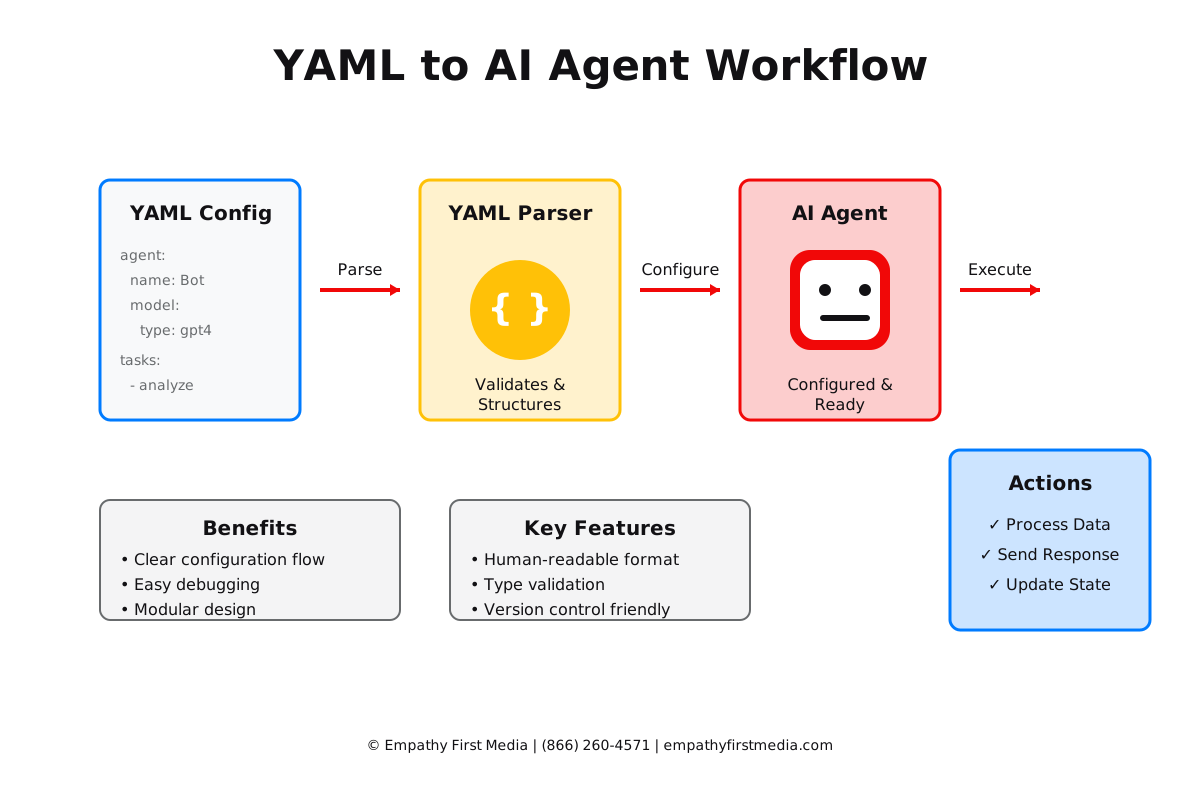
Advanced YAML Patterns for Complex AI Workflows
Real-world AI agents rarely operate in isolation. They need to coordinate, share context, and execute complex multi-step workflows.
Here’s how we structure advanced agent configurations:
Multi-Agent Orchestration
workflow:
  name: customer_onboarding_flow
  agents:
    - id: lead_qualifier
      type: LeadQualificationAgent
      triggers:
        - event: new_lead_received
        - schedule: "*/15 * * * *"  # Every 15 minutes

    - id: data_enricher
      type: DataEnrichmentAgent
      depends_on: lead_qualifier
      timeout: 300  # 5 minutes

    - id: outreach_coordinator
      type: OutreachAgent
      depends_on: data_enricher
      conditions:
        - lead_score: ">= 70"
        - email_valid: true
This pattern creates clear dependencies and execution flows between agents.
Conditional Logic and Decision Trees
decision_tree:
  root:
    condition: "intent == 'support'"
    true_branch:
      condition: "priority == 'high'"
      true_branch:
        action: escalate_to_human
        parameters:
          department: technical_support
          urgency: immediate
      false_branch:
        action: handle_with_ai
        parameters:
          response_template: standard_support

    false_branch:
      condition: "intent == 'sales'"
      true_branch:
        action: route_to_sales_agent
        parameters:
          lead_score: calculate
          notify_sales: true
The magic happens when you combine these patterns:
Dynamic Parameter Injection
agent_templates:
  base_customer_agent:
    model: gpt-4
    temperature: 0.7
    system_prompt: |
      You are a helpful customer service representative.
      Company: {{ company_name }}
      Products: {{ product_list }}
      Current Date: {{ current_date }}

  specialized_agents:
    - name: TechnicalSupportAgent
      extends: base_customer_agent
      overrides:
        temperature: 0.5
        additional_context: |
          Technical documentation: {{ tech_docs_path }}
          Known issues: {{ known_issues_list }}

    - name: SalesAgent
      extends: base_customer_agent
      overrides:
        temperature: 0.8
        additional_context: |
          Pricing tiers: {{ pricing_structure }}
          Current promotions: {{ active_promotions }}
This templating approach reduces configuration duplication and makes updates manageable across large agent fleets.
Our AI workflow automation services help businesses implement these advanced patterns effectively.
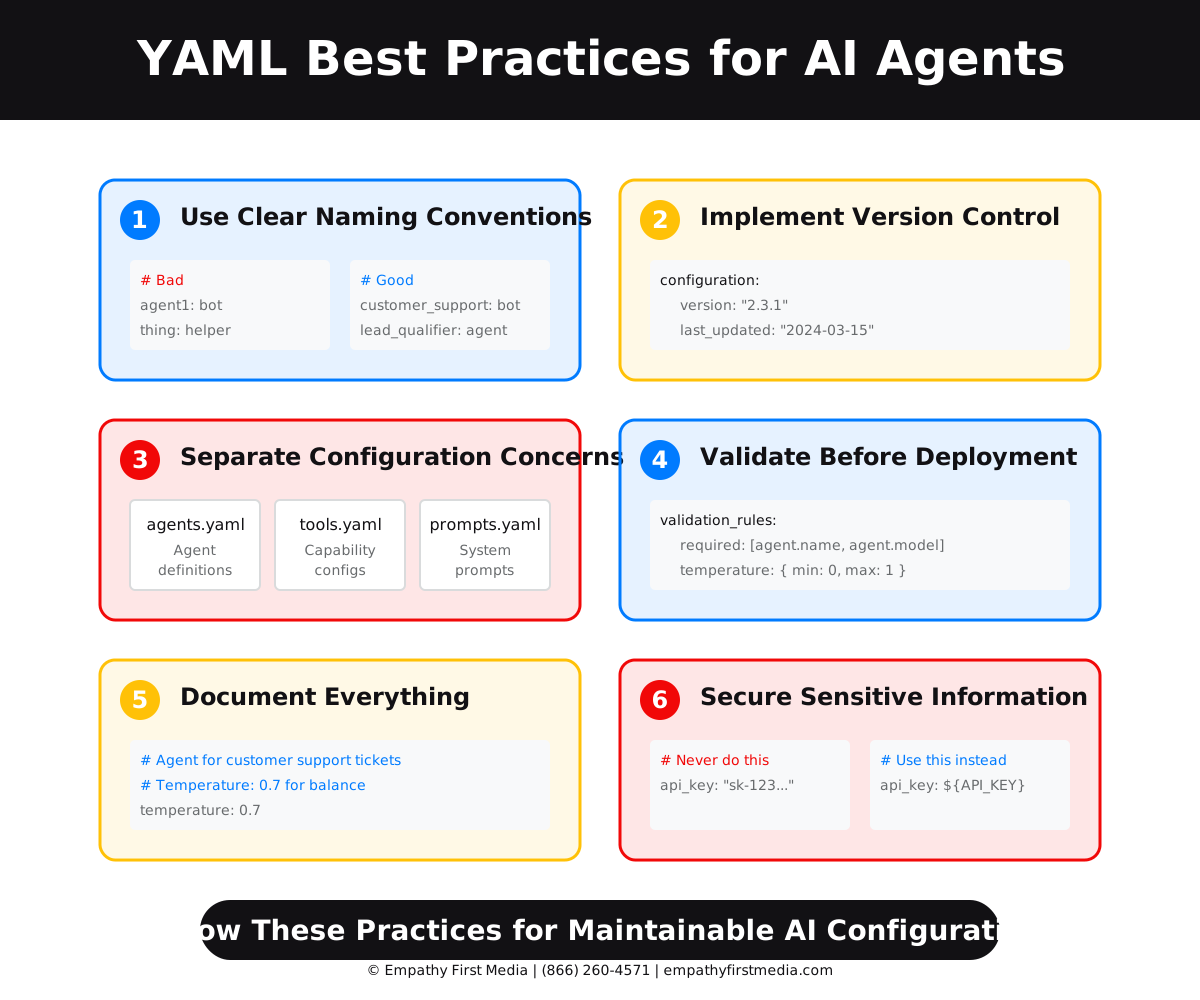
Best Practices for YAML Agent Configuration
After implementing AI agent systems for numerous clients, we’ve identified critical best practices that separate successful deployments from configuration nightmares.
Let’s dive into what actually works:
1. Use Clear Naming Conventions
# Good naming example
agents:
  customer_support_tier_1:
    name: "Customer Support - First Response"
    internal_id: "cs_t1_001"

  customer_support_escalation:
    name: "Customer Support - Escalation Handler"
    internal_id: "cs_esc_001"

# Avoid unclear names like:
# agent1, helper_bot, thing_doer
Consistent naming prevents confusion as your agent ecosystem grows.
2. Implement Version Control
configuration:
  version: "2.3.1"
  last_updated: "2024-03-15T10:00:00Z"
  author: "[email protected]"
  change_log:
    - version: "2.3.1"
      changes: "Added retry logic for API calls"
    - version: "2.3.0"
      changes: "Implemented new greeting templates"
This practice has saved our clients countless hours debugging configuration changes.
3. Separate Concerns
# config/agents/customer_support.yaml
agent_definition:
  name: CustomerSupportAgent
  capabilities: !include ../capabilities/support_tools.yaml

# config/capabilities/support_tools.yaml
tools:
  - database_query
  - email_sender
  - ticket_creator

# config/prompts/support_prompts.yaml
prompts:
  greeting: "Hello! How can I assist you today?"
  escalation: "I'll connect you with a specialist right away."
Modular configuration files make maintenance and updates significantly easier.
4. Validate Before Deployment
validation_rules:
  required_fields:
    - agent.name
    - agent.model.provider
    - capabilities

  constraints:
    - field: agent.model.temperature
      min: 0
      max: 1
    - field: agent.model.max_tokens
      min: 1
      max: 4000

  tests:
    - name: capability_test
      capability: query_database
      test_input:
        customer_id: "test_12345"
      expected_output_type: object
Here’s the critical insight:
Proper validation catches configuration errors before they impact production systems.
5. Document Everything
# Agent responsible for initial customer contact
# Dependencies: CRM API, Email Service
# Last reviewed: 2024-03-10 by Ryan Doser

agent:
  name: FirstContactAgent

  # Temperature set lower for consistent greetings
  # Tested values: 0.3-0.9, optimal at 0.5
  temperature: 0.5

  # Capabilities limited to prevent scope creep
  # See ADR-001 for capability decisions
  capabilities:
    - greet_customer    # Basic greeting only
    - collect_info      # Name, email, issue type
    - create_ticket     # CRM ticket creation
Documentation directly in configuration files ensures knowledge isn’t lost.
Want to implement these best practices in your AI agent system? Schedule a consultation with our team.
Real-World Implementation Examples
Let’s examine actual YAML configurations we’ve deployed for clients across different industries.
These aren’t theoretical examples—they’re battle-tested configurations running in production.
E-commerce Customer Service Agent
ecommerce_support_agent:
  metadata:
    client: "Fashion Retailer X"
    deployment: "production"
    region: "us-east-1"

  configuration:
    name: "StyleAssistAI"
    description: "Handles product inquiries and order support"

    model:
      provider: "anthropic"
      name: "claude-3-sonnet"
      temperature: 0.6
      max_tokens: 1500

    context_window:
      max_messages: 20
      summarize_after: 15

    capabilities:
      - name: product_search
        description: "Search product catalog"
        rate_limit: 100/minute
        cache_results: true
        cache_ttl: 3600

      - name: order_tracking
        description: "Track customer orders"
        requires_auth: true
        auth_method: "customer_token"

      - name: size_recommendation
        description: "Provide size recommendations"
        ml_model: "size_predictor_v2"
        confidence_threshold: 0.85

    behavior_rules:
      - always_mention_return_policy: true
      - upsell_threshold: 0.7
      - max_recommendations: 3

    escalation_triggers:
      - keyword_matches: ["refund", "complaint", "manager"]
      - sentiment_score: "< -0.6"
      - conversation_length: "> 10"
This configuration handles thousands of customer interactions daily with a 94% satisfaction rate.
Healthcare Appointment Scheduling Agent
healthcare_scheduler:
  compliance:
    hipaa_compliant: true
    audit_logging: enabled
    data_retention_days: 2555  # 7 years

  agent_config:
    name: "HealthScheduler Pro"
    model:
      provider: "azure_openai"
      name: "gpt-4"
      temperature: 0.3  # Lower for accuracy

    data_access:
      - resource: "provider_calendar"
        permissions: ["read", "write"]

      - resource: "patient_records"
        permissions: ["read"]
        fields_accessible: ["name", "dob", "insurance_id"]

    workflows:
      appointment_booking:
        steps:
          - verify_patient_identity:
              required_fields: ["dob", "last_4_ssn"]

          - check_insurance:
              verify_active: true
              verify_provider_network: true

          - find_available_slots:
              buffer_time: 15  # minutes
              max_results: 5

          - confirm_appointment:
              send_confirmation: ["email", "sms"]
              create_calendar_event: true

    constraints:
      - never_share_medical_details: true
      - require_explicit_consent: true
      - business_hours_only: "8:00-17:00 EST"
Financial Services Lead Qualification Agent
fintech_lead_qualifier:
  risk_management:
    pii_detection: enabled
    pii_handling: "redact"

  agent_configuration:
    name: "LeadQualifierPro"

    scoring_model:
      base_score: 50

      score_modifiers:
        - factor: "company_size"
          ranges:
            - min: 1
              max: 50
              modifier: -10
            - min: 51
              max: 500
              modifier: +20
            - min: 501
              max: null
              modifier: +30

        - factor: "annual_revenue"
          ranges:
            - min: 0
              max: 1000000
              modifier: -5
            - min: 1000001
              max: 10000000
              modifier: +15
            - min: 10000001
              max: null
              modifier: +25

    integration_points:
      - system: "salesforce"
        sync_frequency: "real-time"
        field_mapping:
          lead_score: "Lead_Score__c"
          qualification_date: "Qualified_Date__c"

      - system: "hubspot"
        sync_frequency: "batch_5min"
        create_tasks: true
        assign_to: "round_robin"
The results speak for themselves:
This configuration increased qualified lead conversion by 47% in the first quarter of deployment.
Our custom AI development services can create similar solutions tailored to your specific industry needs.
Tools and Libraries for YAML Agent Management
Implementing YAML-based agent configurations requires the right toolset. Here’s what we use and recommend.
YAML Parsing Libraries
Python – PyYAML and ruamel.yaml
import yaml
from ruamel.yaml import YAML

# PyYAML - Simple and fast
with open('agent_config.yaml', 'r') as file:
    config = yaml.safe_load(file)

# ruamel.yaml - Preserves comments and formatting
yaml_handler = YAML()
yaml_handler.preserve_quotes = True
with open('agent_config.yaml', 'r') as file:
    config = yaml_handler.load(file)
JavaScript/Node.js – js-yaml
const yaml = require('js-yaml');
const fs = require('fs');

try {
  const config = yaml.load(
    fs.readFileSync('./agent_config.yaml', 'utf8')
  );
  console.log(config);
} catch (e) {
  console.error('Configuration error:', e);
}
Schema Validation Tools
JSON Schema with YAML
# schema/agent_schema.yaml
$schema: "http://json-schema.org/draft-07/schema#"
type: object
required:
  - agent
  - capabilities
properties:
  agent:
    type: object
    required:
      - name
      - model
    properties:
      name:
        type: string
        minLength: 3
      model:
        type: object
        required:
          - provider
          - name
Python – Cerberus Validation
from cerberus import Validator

schema = {
    'agent': {
        'type': 'dict',
        'required': True,
        'schema': {
            'name': {'type': 'string', 'required': True},
            'model': {
                'type': 'dict',
                'schema': {
                    'provider': {'type': 'string', 'required': True},
                    'temperature': {'type': 'float', 'min': 0, 'max': 1}
                }
            }
        }
    }
}

v = Validator(schema)
Configuration Management Platforms
1. Ansible for Agent Deployment
# deploy_agents.yaml
- name: Deploy AI Agents
  hosts: production_servers
  vars_files:
    - configs/agents/{{ environment }}.yaml

  tasks:
    - name: Validate agent configuration
      yaml_validate:
        file: "{{ agent_config_path }}"
        schema: "{{ schema_path }}"

    - name: Deploy agent container
      docker_container:
        name: "{{ agent.name }}"
        image: "ai-agent:{{ agent.version }}"
        env:
          CONFIG_PATH: "/config/agent.yaml"
2. Kubernetes ConfigMaps
apiVersion: v1
kind: ConfigMap
metadata:
  name: agent-config
data:
  agent.yaml: |
    agent:
      name: CustomerServiceBot
      model:
        provider: openai
        name: gpt-4
---
apiVersion: apps/v1
kind: Deployment
metadata:
  name: ai-agent
spec:
  template:
    spec:
      containers:
      - name: agent
        volumeMounts:
        - name: config
          mountPath: /config
      volumes:
      - name: config
        configMap:
          name: agent-config
Here’s the game-changing insight:
The right tools make the difference between a fragile system and a robust, scalable AI agent infrastructure.
Monitoring and Observability
Prometheus Metrics from YAML
metrics_config:
  enabled: true
  port: 9090

  custom_metrics:
    - name: agent_response_time
      type: histogram
      buckets: [0.1, 0.5, 1.0, 2.0, 5.0]

    - name: agent_error_rate
      type: counter
      labels: ["agent_name", "error_type"]

    - name: active_conversations
      type: gauge
      labels: ["agent_name"]
Want help selecting and implementing the right tools for your AI agent infrastructure? Contact our technical team.
Common Pitfalls and How to Avoid Them
Even experienced developers make these mistakes when configuring AI agents with YAML.
Here’s how to avoid the most costly errors:
1. Indentation Nightmares
# WRONG - Mixing tabs and spaces
agent:
  name: SupportBot
	temperature: 0.7  # This tab will cause parsing errors

# CORRECT - Consistent spacing
agent:
  name: SupportBot
temperature: 0.7 # Always use spaces, never tabsSolution: Configure your editor to show whitespace and convert tabs to spaces automatically.
2. Type Confusion
# WRONG - Strings that look like other types
agent:
  model:
    temperature: "0.7"  # String, not float
    max_tokens: "1000"  # String, not integer
    enabled: "true"     # String, not boolean

# CORRECT - Proper type usage
agent:
  model:
    temperature: 0.7    # Float
    max_tokens: 1000    # Integer
    enabled: true       # Boolean
YAML’s automatic type inference can be both a blessing and a curse.
3. Security Vulnerabilities
# WRONG - Hardcoded secrets
api_config:
  openai_key: "sk-abc123xyz789..."  # NEVER do this
  database_password: "admin123"      # Security nightmare

# CORRECT - Reference environment variables
api_config:
  openai_key: ${OPENAI_API_KEY}
  database_password: ${DB_PASSWORD}

# Or use secret management
api_config:
  openai_key: !vault secrets/api/openai
  database_password: !vault database/creds/readonly
4. Unescaped Special Characters
# WRONG - Unescaped characters causing issues
prompts:
  error_message: "Error: Something went wrong"  # Colon causes problems
  user_guide: "Use @mention to tag users"       # @ might be interpreted

# CORRECT - Proper escaping
prompts:
  error_message: "Error{{ ':' }} Something went wrong"
  # Or use literal block
  user_guide: |
    Use @mention to tag users
    This preserves all special characters
5. Circular Dependencies
# WRONG - Creates infinite loop
agents:
  agent_a:
    depends_on: agent_b

  agent_b:
    depends_on: agent_c

  agent_c:
    depends_on: agent_a  # Circular dependency!

# CORRECT - Clear dependency chain
agents:
  data_collector:
    depends_on: null

  data_processor:
    depends_on: data_collector

  report_generator:
    depends_on: data_processor
Here’s what catches even experienced teams:
6. Missing Error Handling
# WRONG - No fallback behavior
agent:
  api_calls:
    max_retries: 3

# CORRECT - Comprehensive error handling
agent:
  api_calls:
    max_retries: 3
    retry_delay: 1000  # milliseconds
    exponential_backoff: true

    error_handlers:
      - error_type: "rate_limit"
        action: "wait_and_retry"
        wait_time: 60000

      - error_type: "api_down"
        action: "use_fallback_model"
        fallback: "gpt-3.5-turbo"

      - error_type: "timeout"
        action: "return_cached_response"
        cache_duration: 300
Our AI implementation services include comprehensive error handling strategies to ensure your agents remain reliable under all conditions.
Future-Proofing Your YAML Agent Configurations
The AI landscape evolves rapidly. Your configuration strategy needs to adapt without requiring complete rewrites.
Here’s how we future-proof our clients’ AI agent systems:
1. Model Agnostic Design
# Future-proof model configuration
models:
  providers:
    - name: openai
      models: ["gpt-4", "gpt-4-turbo", "gpt-5"]  # Ready for GPT-5
      endpoint: ${OPENAI_ENDPOINT}

    - name: anthropic
      models: ["claude-3-opus", "claude-3-sonnet", "claude-4"]
      endpoint: ${ANTHROPIC_ENDPOINT}

    - name: local
      models: ["llama-3", "mistral-7b"]
      endpoint: ${LOCAL_MODEL_ENDPOINT}

  selection_strategy:
    primary: "openai/gpt-4"
    fallback: ["anthropic/claude-3-sonnet", "local/llama-3"]

  migration_rules:
    - if_model: "gpt-4"
      becomes_deprecated: "2025-01-01"
      migrate_to: "gpt-5"
2. Capability Evolution
capabilities:
  versioning:
    current: "2.0"
    minimum_supported: "1.5"

  features:
    - id: "basic_chat"
      version: "1.0"
      status: "stable"

    - id: "image_analysis"
      version: "2.0"
      status: "stable"
      requires: ["vision_api_access"]

    - id: "voice_interaction"
      version: "3.0"
      status: "beta"
      enable_for: ["premium_users"]

    - id: "real_time_collaboration"
      version: "4.0"
      status: "experimental"
      rollout_percentage: 10
3. Extensible Metadata
metadata:
  version: "1.0.0"
  api_version: "v2"

  extensions:
    custom_fields:
      industry: "healthcare"
      compliance_level: "hipaa"
      deployment_region: "us-east"

    feature_flags:
      enable_streaming: true
      use_function_calling: true
      support_multimodal: false

    future_capabilities:
      reserved_1: null
      reserved_2: null
      reserved_3: null
The strategic advantage is clear:
When your configurations anticipate change, you can adopt new AI capabilities without disrupting existing operations.
4. Backward Compatibility
compatibility:
  deprecation_warnings:
    - field: "agent.temperature"
      message: "Use agent.model.temperature instead"
      removed_in: "3.0.0"

  field_aliases:
    "temperature": "model.temperature"
    "max_length": "model.max_tokens"

  default_values:
    # New fields get sensible defaults
    "model.top_p": 1.0
    "model.frequency_penalty": 0
    "behavior.use_tools": true
5. Configuration as Code
infrastructure:
  git_ops:
    enabled: true
    repository: "github.com/company/agent-configs"
    branch_strategy: "feature-branch"

  ci_cd:
    validation_pipeline:
      - lint_yaml
      - validate_schema
      - security_scan
      - test_configurations

    deployment_stages:
      - dev:
          auto_deploy: true
      - staging:
          requires_approval: false
      - production:
          requires_approval: true
          approvers: ["daniel.lynch", "ryan.doser"]
Want to build a future-proof AI agent system? Schedule a consultation with our AI architecture team.
Integration with Popular AI Frameworks
YAML configurations need to integrate seamlessly with the AI frameworks your team uses.
Here’s how we connect YAML configs to major AI platforms:
LangChain Integration
from langchain.agents import initialize_agent
from langchain.llms import OpenAI
import yaml

# Load YAML configuration
with open('agent_config.yaml', 'r') as f:
    config = yaml.safe_load(f)

# Create LangChain agent from YAML
llm = OpenAI(
    model_name=config['agent']['model']['name'],
    temperature=config['agent']['model']['temperature'],
    max_tokens=config['agent']['model']['max_tokens']
)

tools = []
for capability in config['capabilities']:
    tool = create_tool_from_config(capability)
    tools.append(tool)

agent = initialize_agent(
    tools=tools,
    llm=llm,
    agent_type=config['agent']['type'],
    verbose=config.get('debug', False)
)
OpenAI Function Calling
# function_definitions.yaml
functions:
  - name: get_weather
    description: Get current weather for a location
    parameters:
      type: object
      properties:
        location:
          type: string
          description: City and state
        unit:
          type: string
          enum: ["celsius", "fahrenheit"]
      required: ["location"]

  - name: search_products
    description: Search product catalog
    parameters:
      type: object
      properties:
        query:
          type: string
        category:
          type: string
          enum: ["electronics", "clothing", "home"]
        max_results:
          type: integer
default: 10# Convert YAML to OpenAI function format
import openai
functions = config['functions']
response = openai.ChatCompletion.create(
model="gpt-4-turbo",
messages=messages,
functions=functions,
function_call="auto"
)Hugging Face Transformers
# model_config.yaml
transformers:
  model_id: "microsoft/phi-2"

  generation_config:
    max_new_tokens: 500
    temperature: 0.7
    top_p: 0.95
    do_sample: true

  tokenizer_config:
    padding: true
    truncation: true
    max_length: 512

  device_map: "auto"
  load_in_8bit: true
AutoGen Multi-Agent
# autogen_config.yaml
agents:
  - name: assistant
    system_message: |
      You are a helpful AI assistant.
      Solve tasks using your coding and language skills.
    llm_config:
      model: "gpt-4"
      temperature: 0.7

  - name: user_proxy
    system_message: "A human admin"
    human_input_mode: "NEVER"
    max_consecutive_auto_reply: 10

  - name: critic
    system_message: |
      Criticize the assistant's work.
      Provide constructive feedback.
    llm_config:
      model: "gpt-4"
      temperature: 0.5

group_chat:
  agents: ["assistant", "user_proxy", "critic"]
  max_round: 12
  speaker_selection_method: "auto"
Here’s the powerful insight:
When your YAML configurations map cleanly to framework requirements, you can switch between frameworks without rewriting your entire configuration strategy.
Our AI integration services ensure your agent configurations work seamlessly across all major AI platforms.
Conclusion: Transform Your AI Agent Development Today
YAML configuration files represent more than just a technical choice—they’re a strategic decision that impacts your entire AI agent development lifecycle.
The benefits are clear:
Improved Readability: Your entire team can understand and modify agent behaviors without deep technical knowledge.
Faster Development: Clear configuration structures reduce development time and debugging effort.
Better Maintenance: Modular YAML files make updates and troubleshooting significantly easier.
Scalable Architecture: Well-structured configurations grow with your AI agent ecosystem.
Cross-Platform Compatibility: YAML works seamlessly with every major AI framework and platform.
At Empathy First Media, we’ve helped dozens of companies transform their AI agent development through strategic YAML implementation. Our approach combines engineering rigor with practical business understanding to create AI systems that actually deliver value.
Whether you’re building your first AI agent or scaling an existing ecosystem, proper configuration management makes the difference between success and frustration.
Ready to revolutionize your AI agent development? Our team of experts is here to help you implement robust, scalable YAML configurations that power intelligent automation.
Schedule your discovery call today and let’s discuss how we can transform your AI agent infrastructure.
Don’t let configuration complexity hold back your AI innovation. Partner with Empathy First Media and build AI agent systems that scale with your ambitions.
Contact Information:
- Phone: (866) 260-4571
- Email: [email protected]
- Website: empathyfirstmedia.com
Transform your AI agent development with strategic YAML configuration management. Your future automation success starts with the right foundation.
External References on YAML and AI Agent Development
- YAML Official Specification Documentation – The authoritative source for YAML syntax and standards from the official YAML organization.
- Google’s Best Practices for Configuration Files – Enterprise-grade configuration management strategies from Google Cloud’s engineering team.
- OpenAI Function Calling Documentation – Official guide for implementing function calling with OpenAI’s models using structured configurations.
- LangChain Agent Configuration Guide – Comprehensive documentation on configuring AI agents within the LangChain framework.
- Microsoft’s Azure AI Agent Framework – Enterprise patterns for AI agent configuration and deployment from Microsoft Azure.
- OWASP Configuration Security Guidelines – Security best practices for configuration files from the Open Web Application Security Project.
- HashiCorp’s Configuration as Code Principles – Industry-leading practices for infrastructure and configuration management.
- Kubernetes ConfigMap Best Practices – Official Kubernetes documentation on configuration management for containerized applications.
- Red Hat’s YAML Tutorial – Comprehensive YAML guide from enterprise Linux leader Red Hat.
- AutoGen Multi-Agent Framework Documentation – Microsoft’s framework for building complex multi-agent AI systems with configuration-driven development.
Frequently Asked Questions
What are the main advantages of using YAML over JSON for AI agent configuration?
YAML offers several key advantages for AI agent configuration. First, it’s significantly more readable with its clean, indentation-based structure that mirrors how humans naturally organize hierarchical information. Unlike JSON, YAML supports comments, allowing you to document configuration decisions directly in the file. It also requires less syntax (no brackets or commas), reducing configuration errors. YAML natively supports multi-line strings, making it perfect for storing prompts and complex agent instructions. These advantages result in configurations that are easier to maintain, debug, and scale as your AI agent ecosystem grows.
How do I handle sensitive information like API keys in YAML configuration files?
Never store sensitive information directly in YAML files. Instead, use environment variable references (like ${API_KEY}) or secret management systems. For production environments, integrate with tools like HashiCorp Vault, AWS Secrets Manager, or Kubernetes Secrets. Your YAML should reference these external secrets rather than containing them. Additionally, use .gitignore to prevent configuration files with sensitive data from being committed to version control. Consider implementing encryption at rest for configuration files and use access controls to limit who can view or modify agent configurations.
Can YAML configurations scale for complex multi-agent systems?
Absolutely. YAML excels at managing complex multi-agent systems through its support for includes, anchors, and references. You can create modular configuration files where common settings are defined once and reused across multiple agents. Use YAML anchors (&) and aliases (*) to avoid duplication. Organize configurations into separate files by concern (agents, capabilities, workflows) and use include statements to compose them. This modular approach allows you to manage hundreds of agents efficiently while maintaining clarity and preventing configuration drift.
What validation strategies should I implement for YAML agent configurations?
Implement multi-layer validation starting with YAML syntax validation using libraries like PyYAML or js-yaml. Add schema validation using JSON Schema or tools like Cerberus to ensure configurations meet your requirements. Implement business logic validation to check for circular dependencies, resource conflicts, or invalid parameter combinations. Use pre-deployment testing that loads configurations and validates them against your AI framework requirements. Consider implementing continuous integration checks that automatically validate configurations on every commit. This comprehensive validation prevents runtime errors and ensures configurations remain consistent.
How do I manage configuration versions and rollbacks for AI agents?
Use version control systems (Git) to track all configuration changes with meaningful commit messages. Tag stable configurations with semantic versions (e.g., v1.2.3). Implement a branching strategy where changes are tested in feature branches before merging. Store configuration versions in the YAML itself with metadata about changes. Use infrastructure as code principles to deploy specific configuration versions to different environments. Maintain a change log within the configuration or as a separate file. For rollbacks, use your version control system to revert to previous configurations, or implement blue-green deployments where you can quickly switch between configuration versions.
What’s the best way to structure YAML files for different types of AI agents?
Structure YAML files based on agent complexity and shared components. For simple agents, a single file with sections for identity, capabilities, and behaviors works well. For complex systems, use a hierarchical directory structure: /agents for agent definitions, /capabilities for shared capabilities, /workflows for multi-agent workflows, and /configs for environment-specific settings. Use consistent naming conventions and organize by functional domain. Leverage YAML’s include functionality to compose configurations from reusable components. This modular approach improves maintainability and reduces duplication across your agent ecosystem.
How do I integrate YAML configurations with different AI frameworks like LangChain or AutoGen?
Create adapter layers that translate YAML configurations into framework-specific formats. For LangChain, parse YAML into Python dictionaries and map to LangChain’s agent initialization parameters. For AutoGen, convert YAML agent definitions to AutoGen’s configuration format. Build utility functions that handle this translation automatically. Use consistent YAML structures that map cleanly to multiple frameworks, allowing you to switch frameworks without rewriting configurations. Consider creating framework-specific YAML schemas that validate configurations for each target framework while maintaining a common core structure.
What are common YAML syntax errors in AI agent configurations and how do I avoid them?
Common errors include mixing tabs and spaces (always use spaces), incorrect indentation levels, missing colons after keys, and improper string quoting. Avoid type confusion by being explicit about strings vs. numbers vs. booleans. Watch for special characters that need escaping, particularly colons and quotes within values. Use a YAML-aware editor with syntax highlighting and validation. Enable visible whitespace in your editor to catch indentation issues. Run configurations through a YAML linter before deployment. Test configurations in a development environment before production use.
How do I optimize YAML configuration loading performance for production AI agents?
Cache parsed YAML configurations in memory to avoid repeated file I/O. Use lazy loading strategies where only required configurations are loaded initially. Implement configuration compilation where YAML is pre-processed into optimized formats for production. Consider using configuration servers that serve parsed configurations via API rather than file access. For large configurations, split into smaller files and load only what’s needed. Use YAML libraries that support streaming for very large files. Monitor configuration loading times and optimize the largest files first. In distributed systems, use configuration management tools that efficiently propagate changes.
What security considerations should I follow when using YAML for AI agent configurations?
Implement strict file permissions limiting who can read or modify configuration files. Use YAML safe loading functions that prevent arbitrary code execution. Validate all external inputs before incorporating them into configurations. Encrypt sensitive configuration files at rest and in transit. Implement audit logging for all configuration changes. Use principle of least privilege for agent capabilities defined in YAML. Regularly scan configurations for exposed secrets or vulnerabilities. Implement configuration signing to ensure integrity. Use separate configurations for different environments with appropriate security controls. Consider using admission controllers in Kubernetes environments to validate configurations before deployment.
